
Breadcrumbs

🏞 Set a background picture

Team-Board Image (background picture)

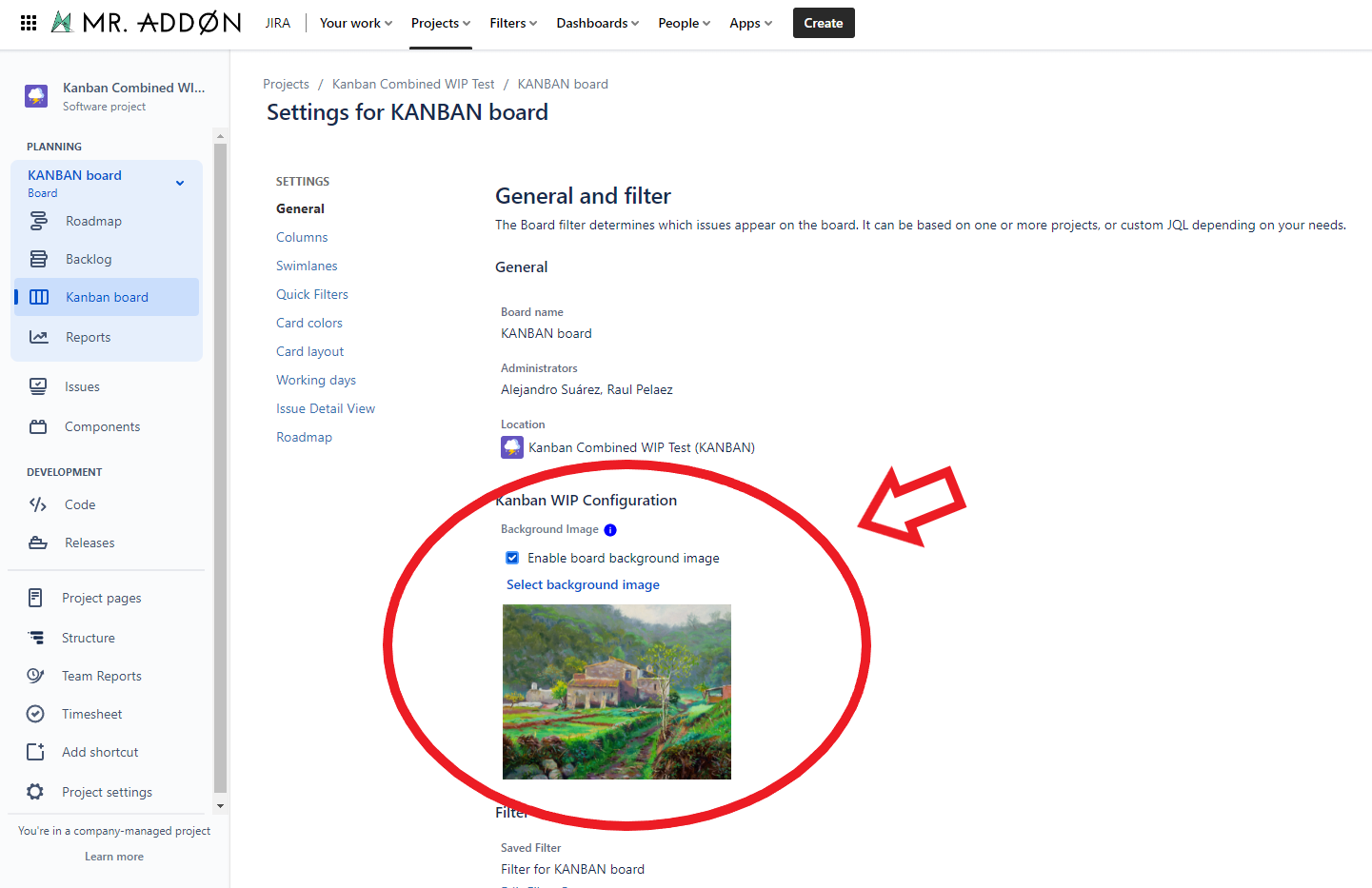
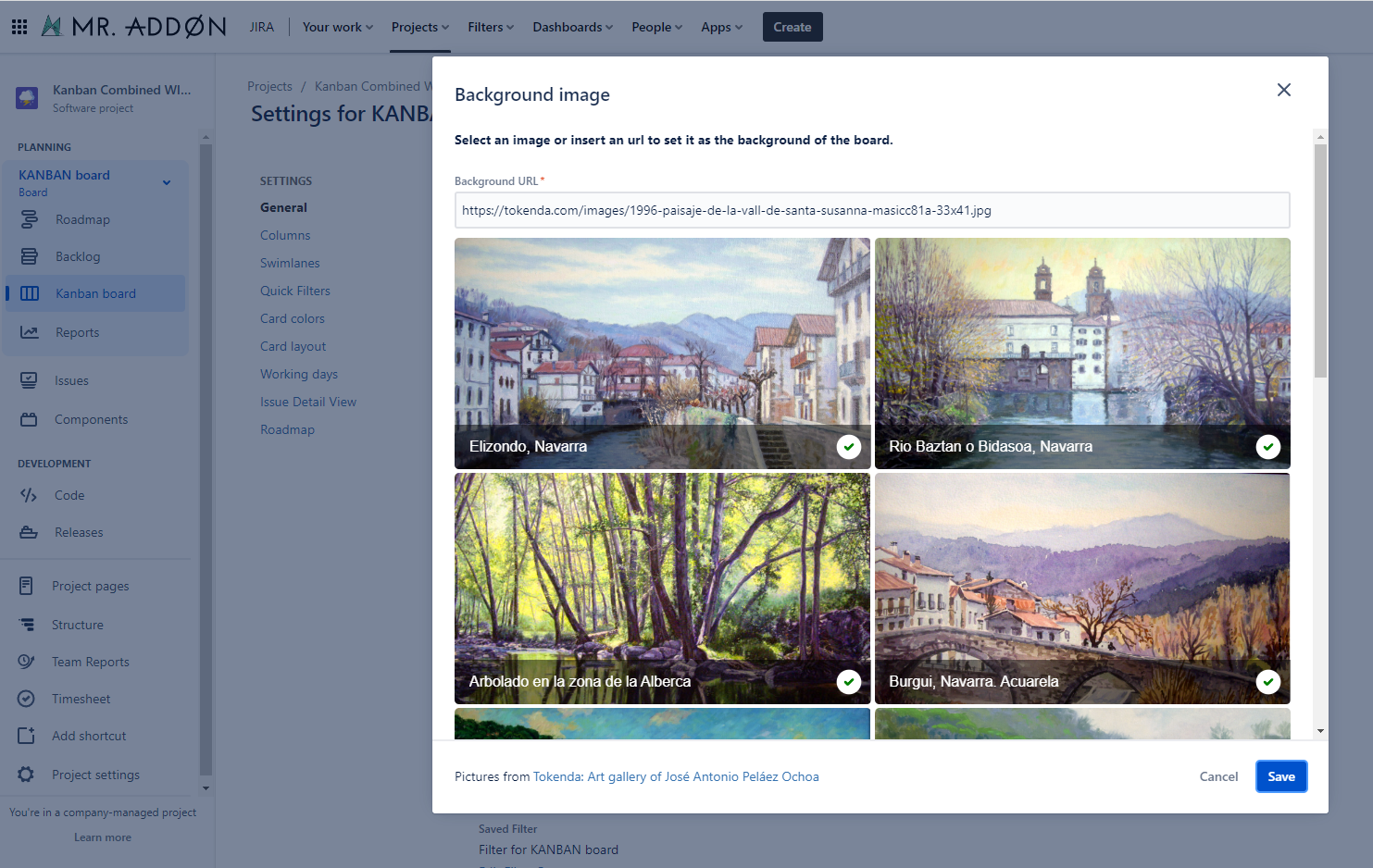
In the board, click “…”“Board Settings”, then navigate to “Kanban WIP Configuration” under the General section. Select a background or enter a URL, and the chosen image will be applied to all board users.
https://confluenceextranet.tecnofor.es/download/attachments/79954117/BoardTeamBackground.png?version=1&modificationDate=1672684256521&api=v2 https://confluenceextranet.tecnofor.es/download/attachments/79954117/SelectBackground.png?version=1&modificationDate=1672684279381&api=v2

Personal Image (background picture)

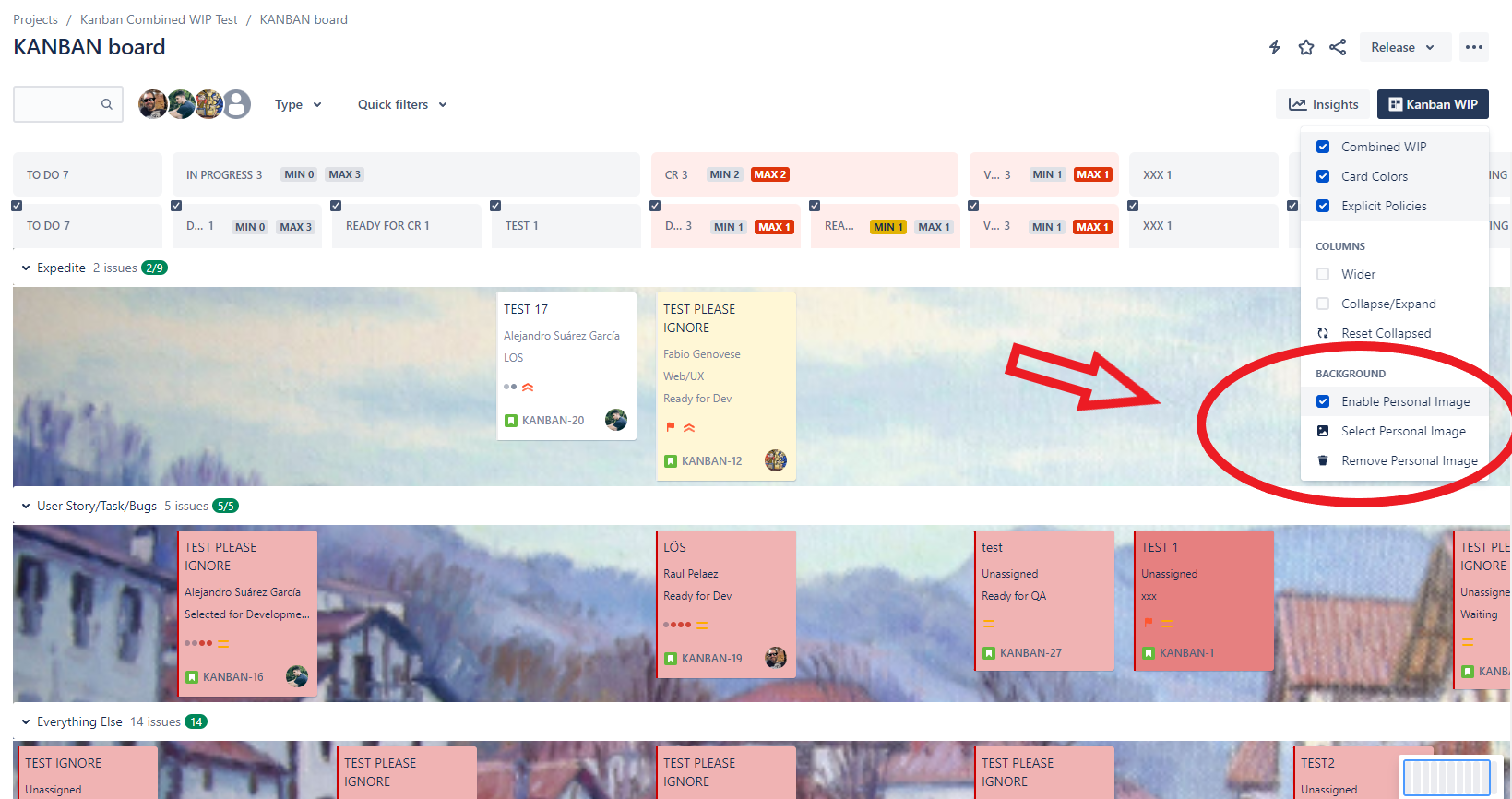
Enable the "Personal Image" option to activate and customize the background picture on the board. Select an image from the pop-up or add a custom URL from the internet.

https://confluenceextranet.tecnofor.es/download/attachments/79954117/KANBAN%20board%20-%20Agile%20board%20-%20TecnoFor%20Jirasupport%20-%20Google%20Chrome%2018_10_2023%2011_35_25.png?version=1&modificationDate=1697623502945&api=v2