
Collapse/Expand columns mode
You can now collapse or expand columns using the "Collapse/Expand" button in the toolbar to manage unused columns.
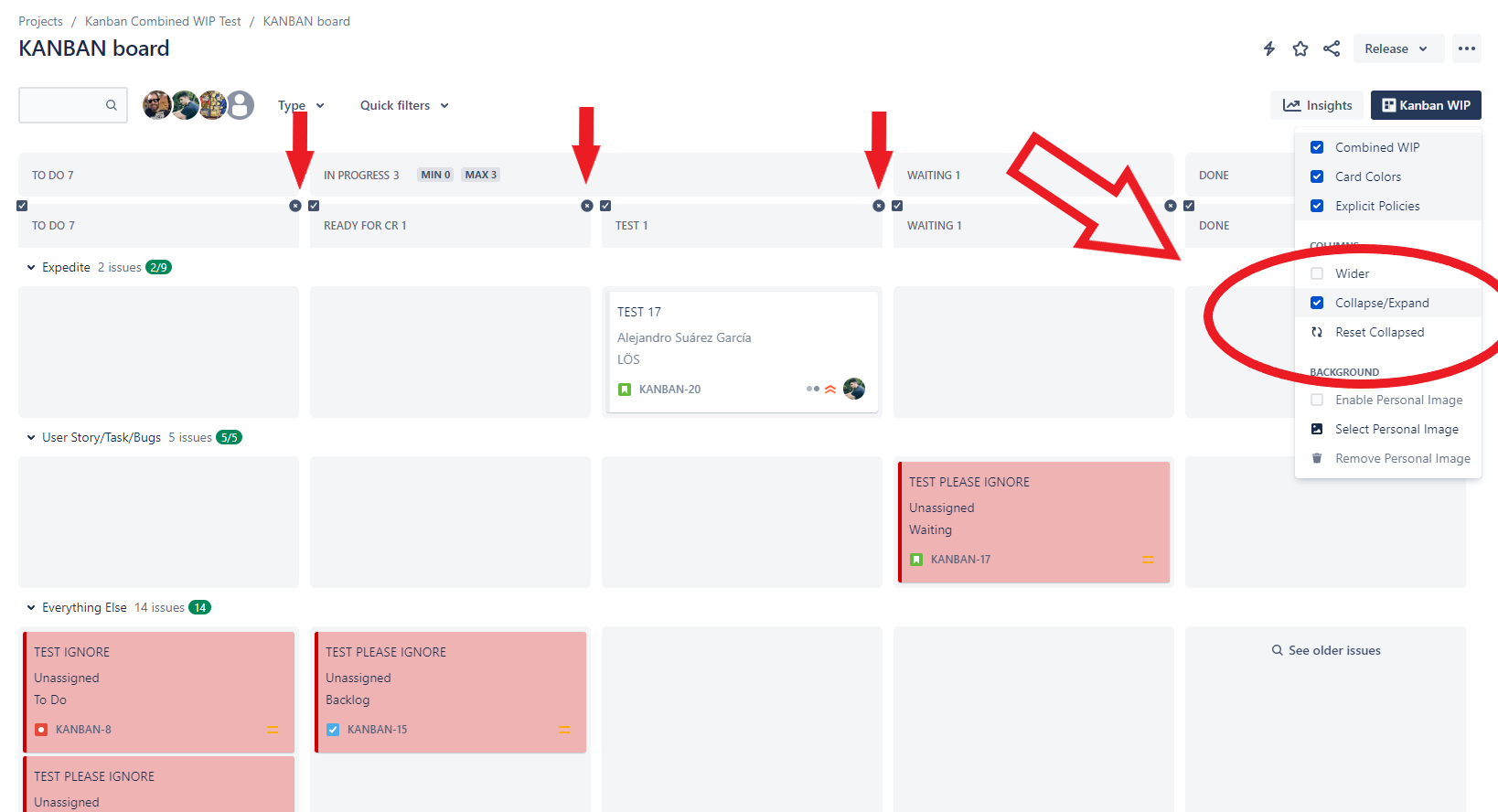
Click in “x” button to remove non-used columns (don’t worry, because if you click again in 🔄 "Reset Collapsed" the columns will appear again!)