
Combine columns and WIPs
To group columns, use the “::” separator in the column names.
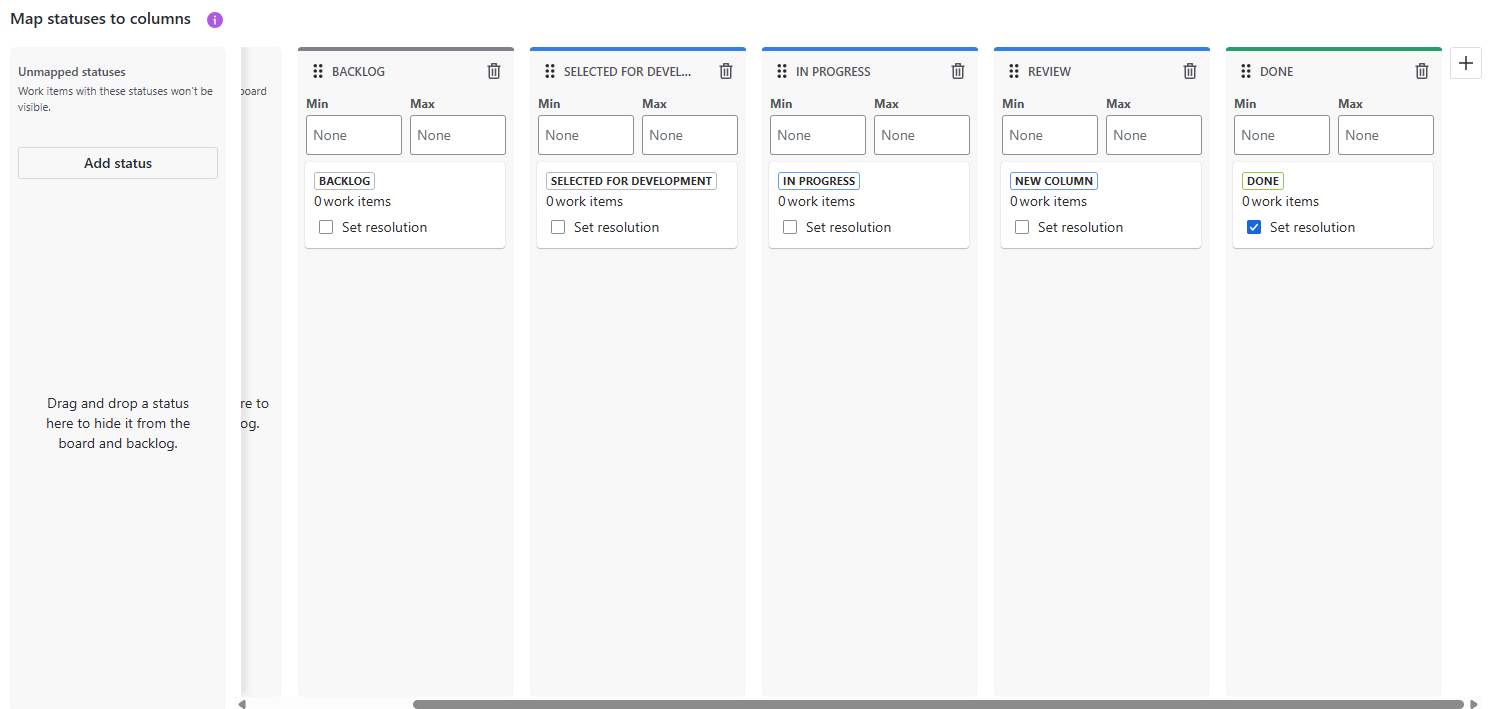
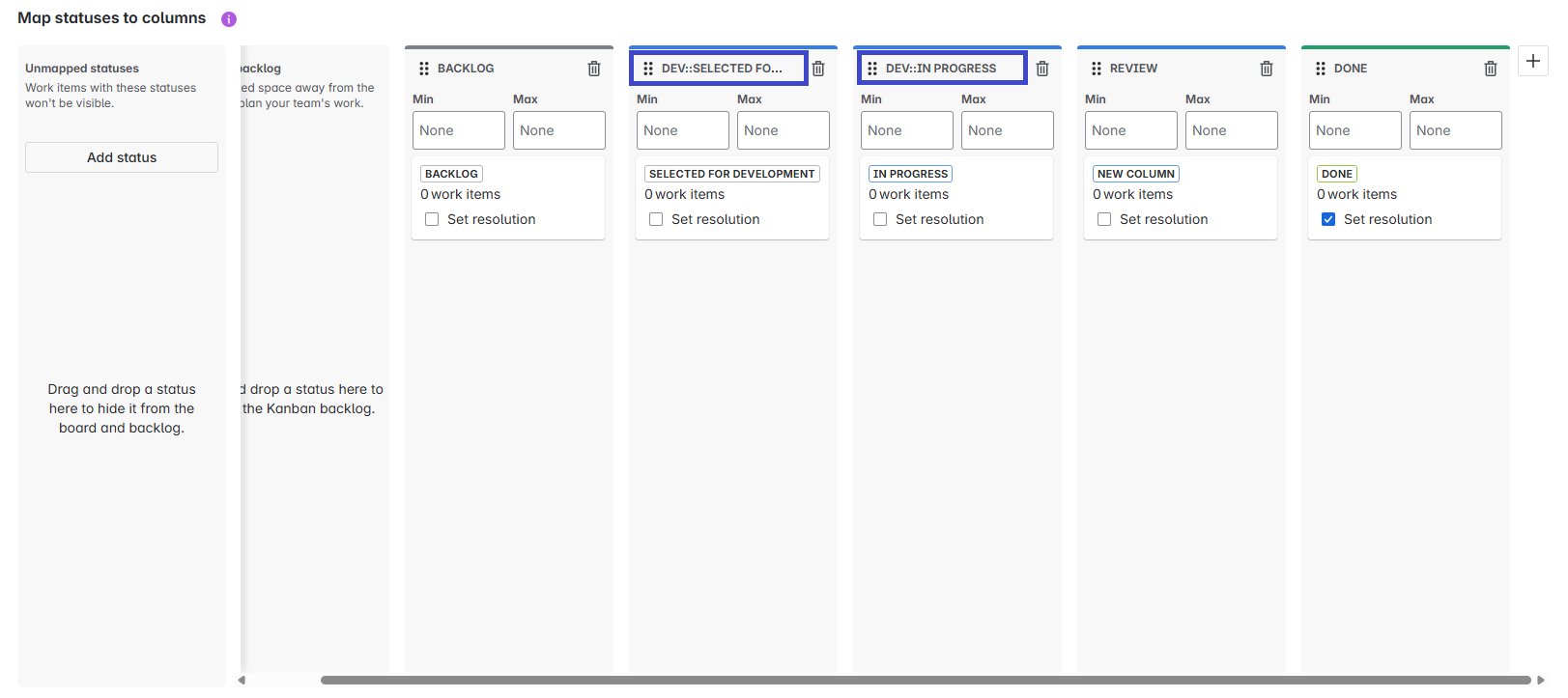
For example: in order to group the “Selected for Development” and “In Progress” column into a common DEV column, just add the “DEV::” prefix to both:
-
“DEV::Selected for Development”
-
“DEV::In Progress”
To do so, first access the board settings:
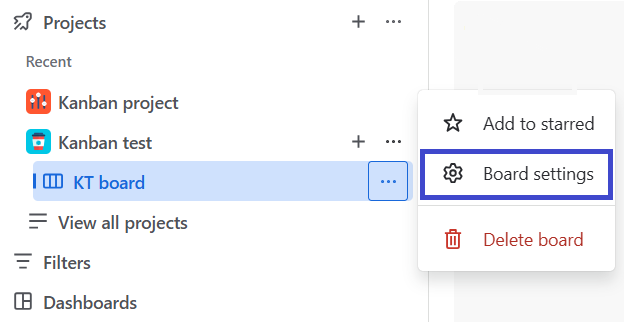
Then, go to Layout > Columns
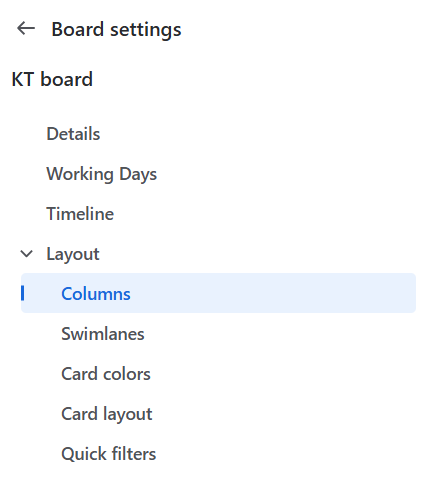
It’s now time to group columns with the double column prefix:
|
|
Before grouping |
After grouping |
|---|---|---|
|
Board Settings |
|
|
|
Board View |
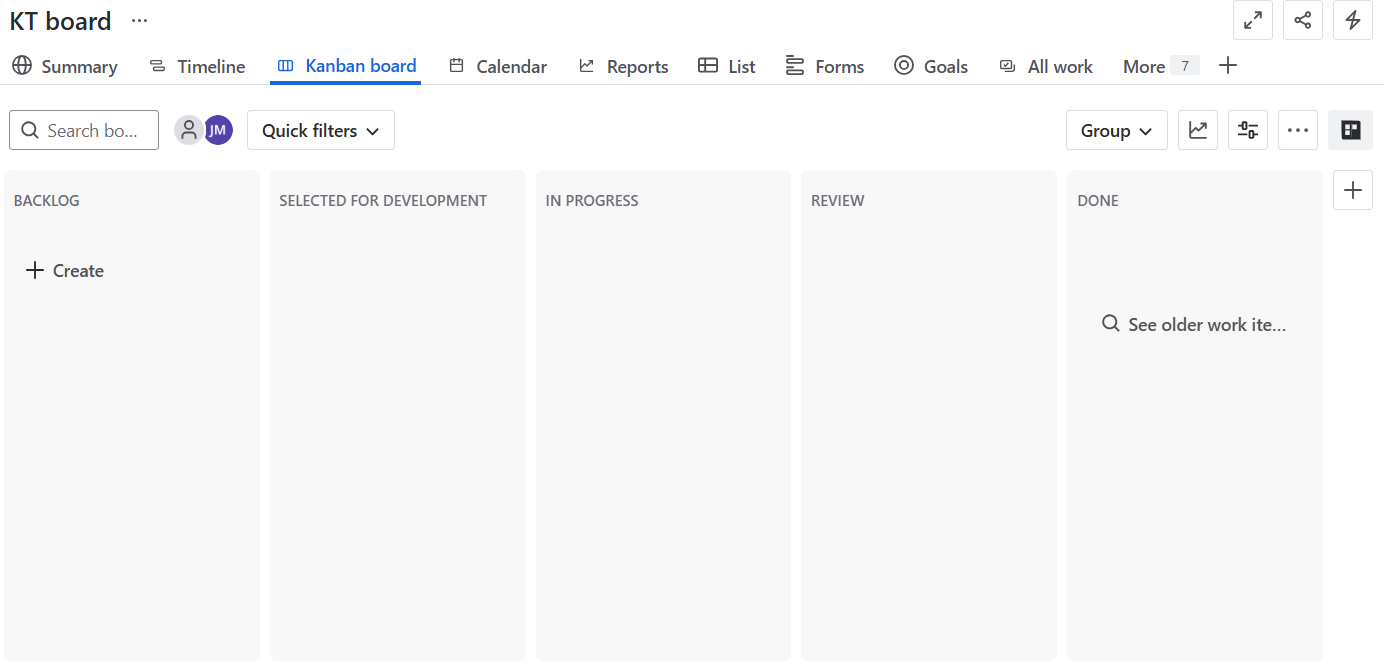
|
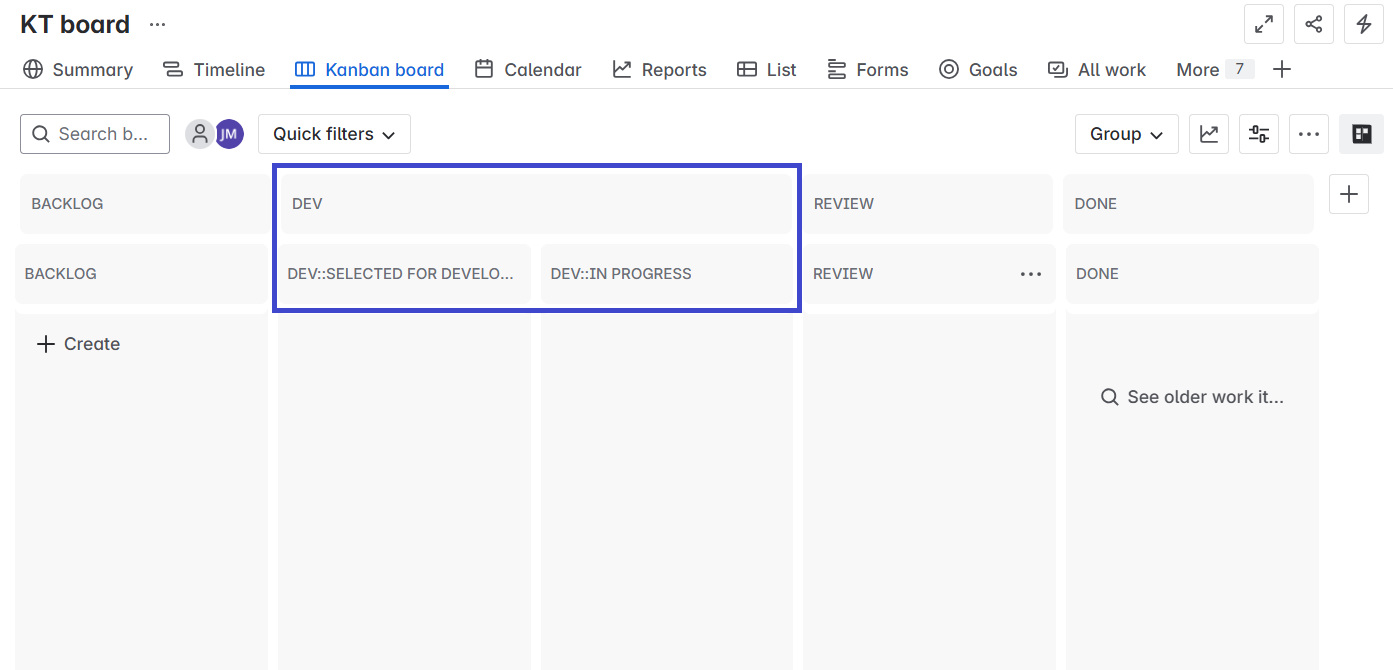
|
Once the columns have been grouped, it becomes possible to combine the WIP values of the grouped columns into the aggregated metric of the top layer.
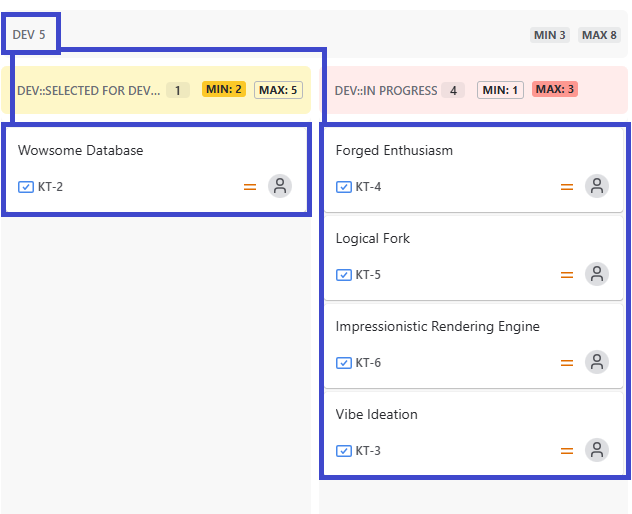
Known Limitation: Inaccurate Count in Combined WIP when viewport is exceeded
The calculation for the number of issues displayed in the Combined WIP or Column WIP headers may be inaccurate or incomplete if the totality of the cards contained in the Jira board cannot be displayed without scrolling.
Main Scenarios:
-
Boards with large volume of cards
-
Smaller window sizes due to device specs or manual resizing
-
Use of multiple swimlanes
Consequence:
Jira will only render the elements that are currently visible within your browser's window, and the app will only calculate the combined WIP for those. In the above-mentioned cases, the count will not represent the true total of the entire column or combined column.
Need Further Assistance?
If this limitation significantly impacts your team's workflow and you need to discuss potential custom solutions or workarounds, please do not hesitate to contact our support team.