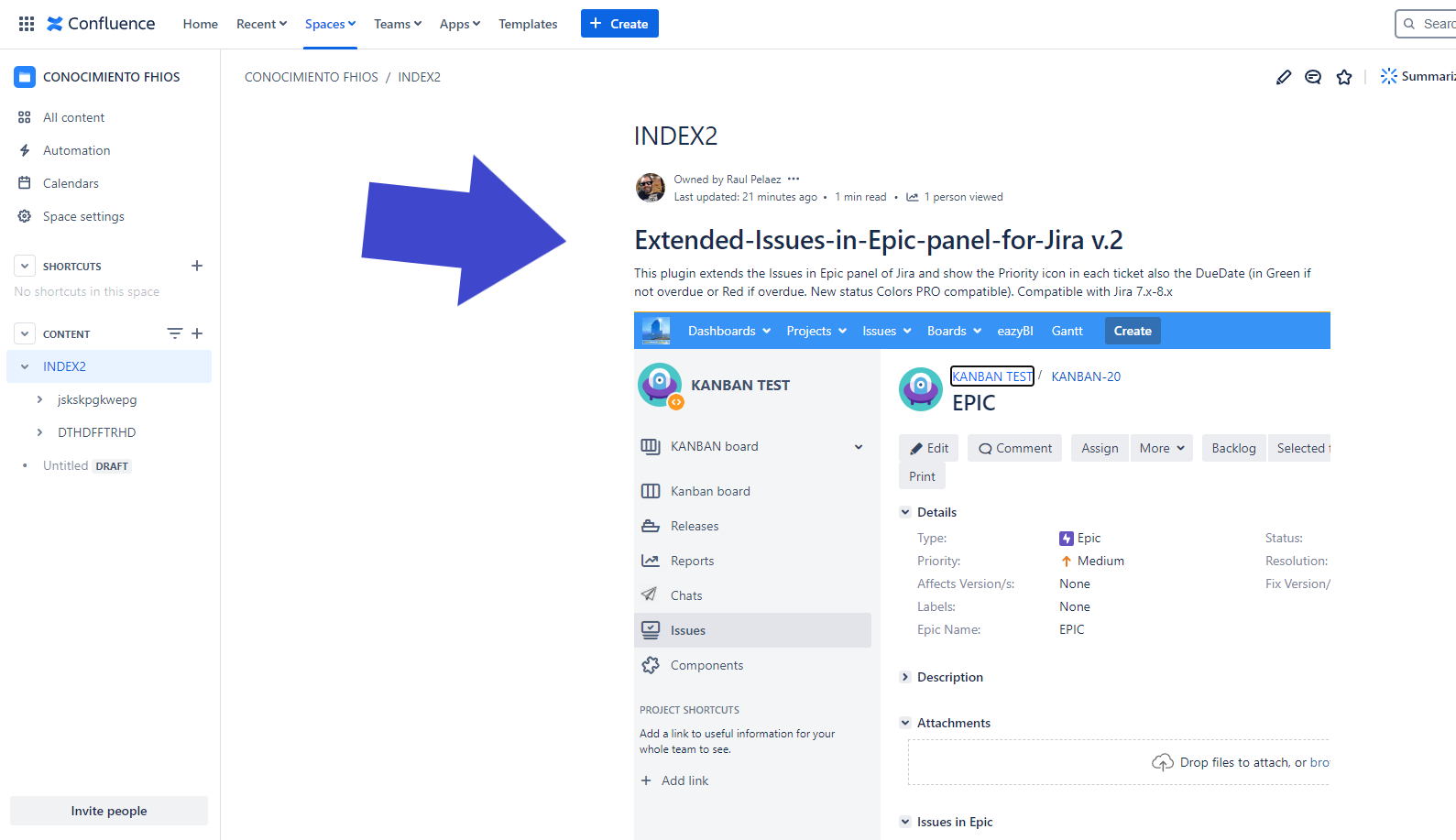
Usage
Put the Marked macro in your page:
-
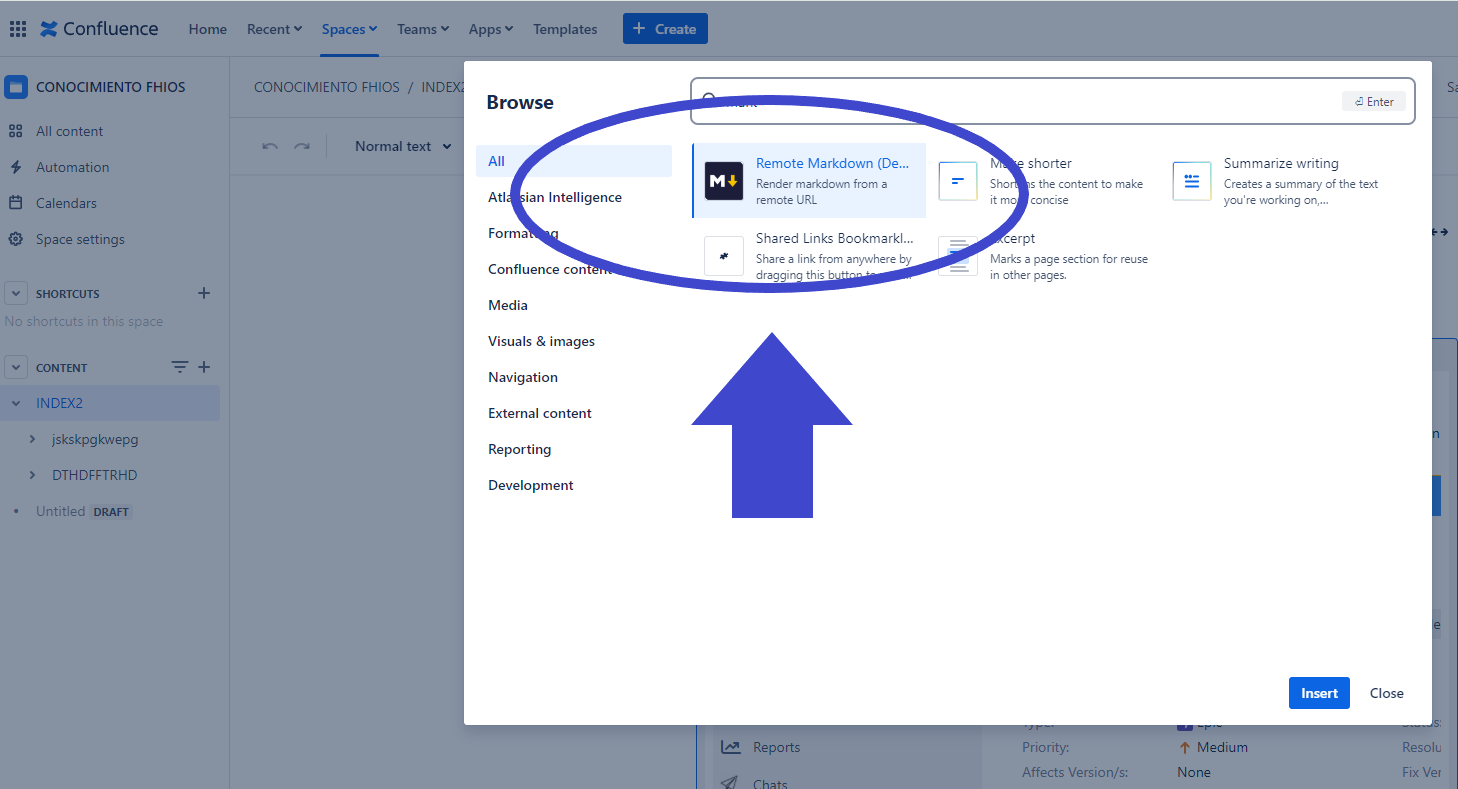
Select Remote MArkdown in the Select macro dialog.
-
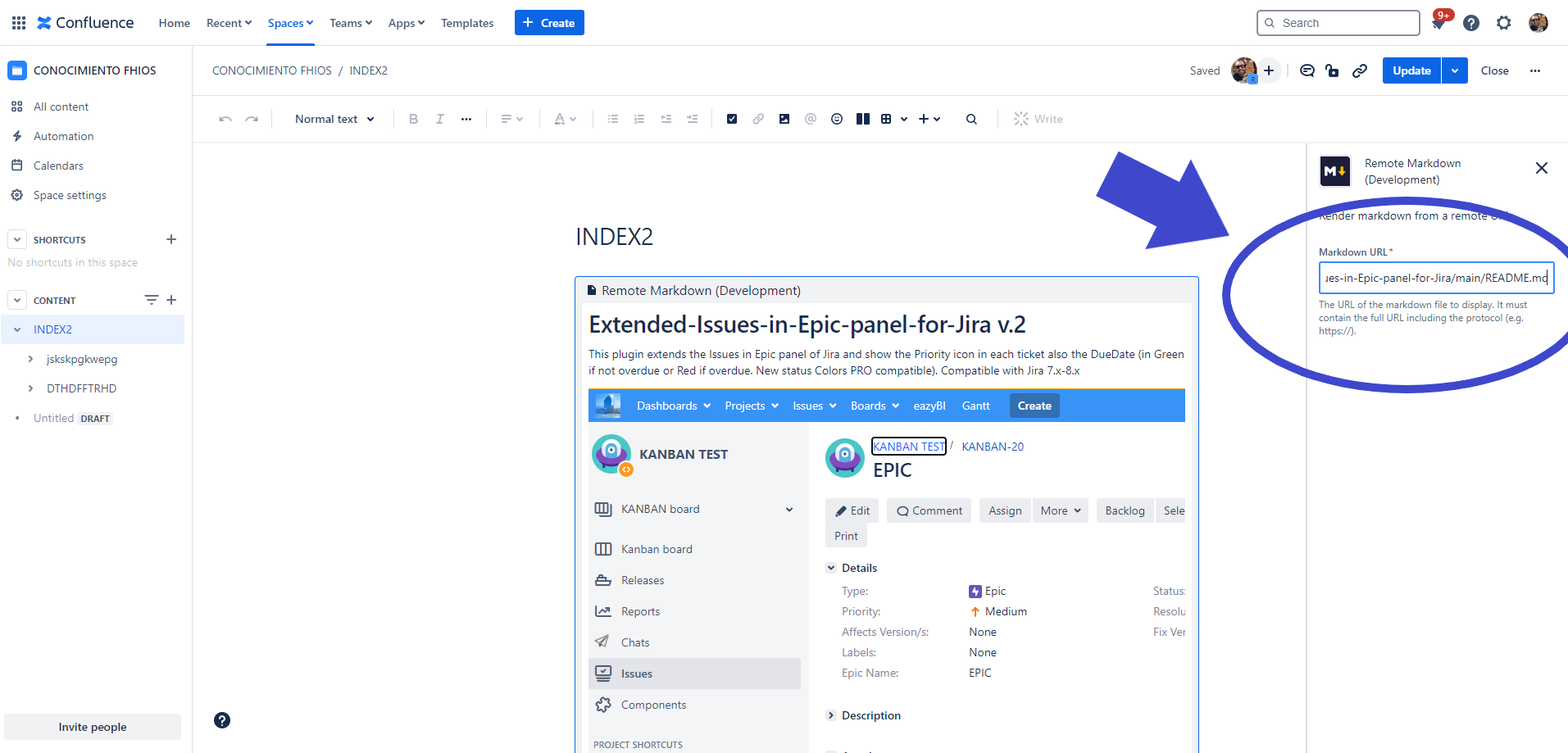
Insert the URL of your raw markdown resource in the input field labeled with URL.
-
Preview the rendered result by clicking on Preview.
-
Insert the rendered content by clicking on Insert. You can now preview and save the document.
And put a link to your mardown file
Result:
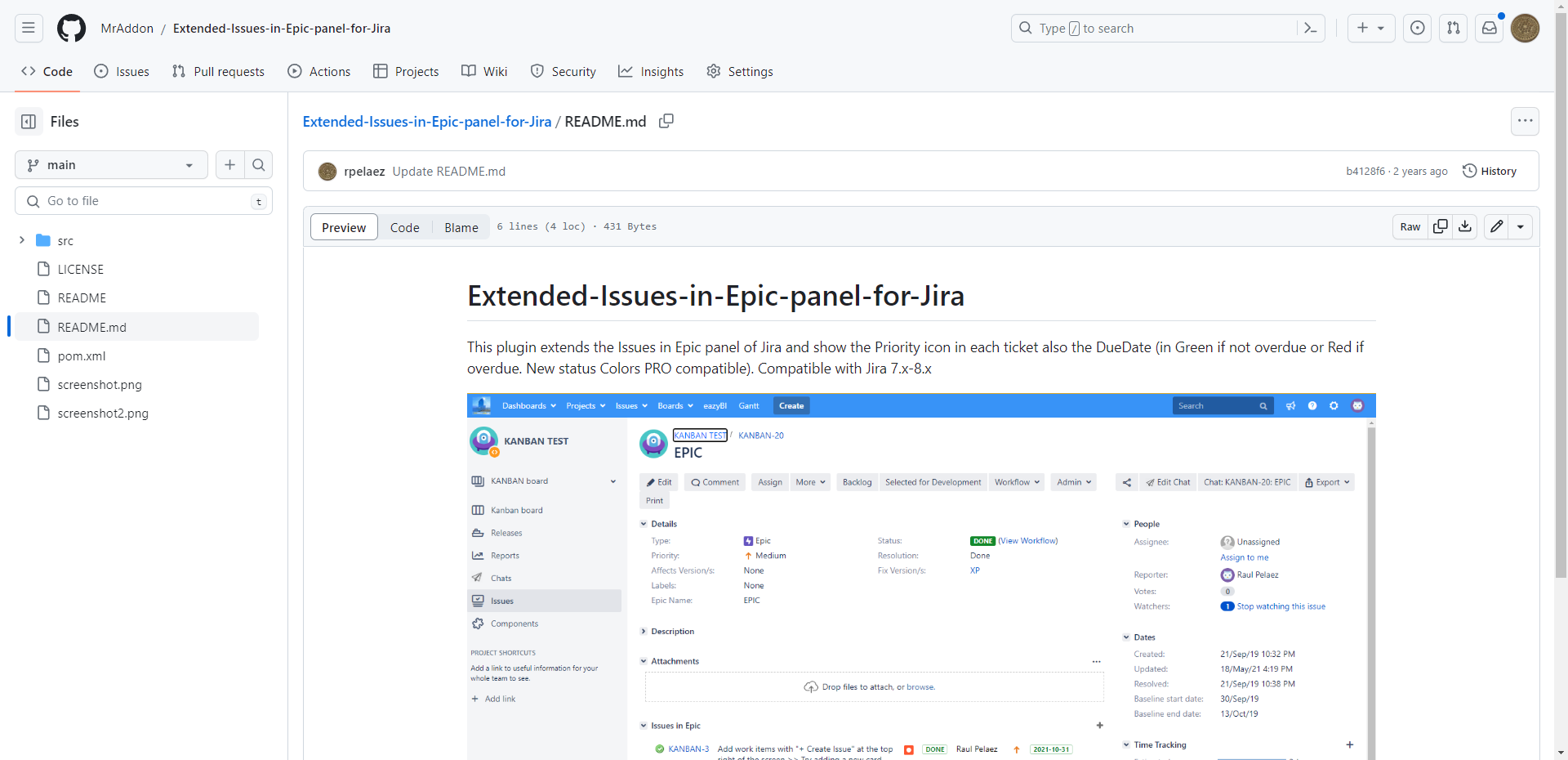
👇