
Breadcrumbs

🚀Getting started

Install the App

Install addon

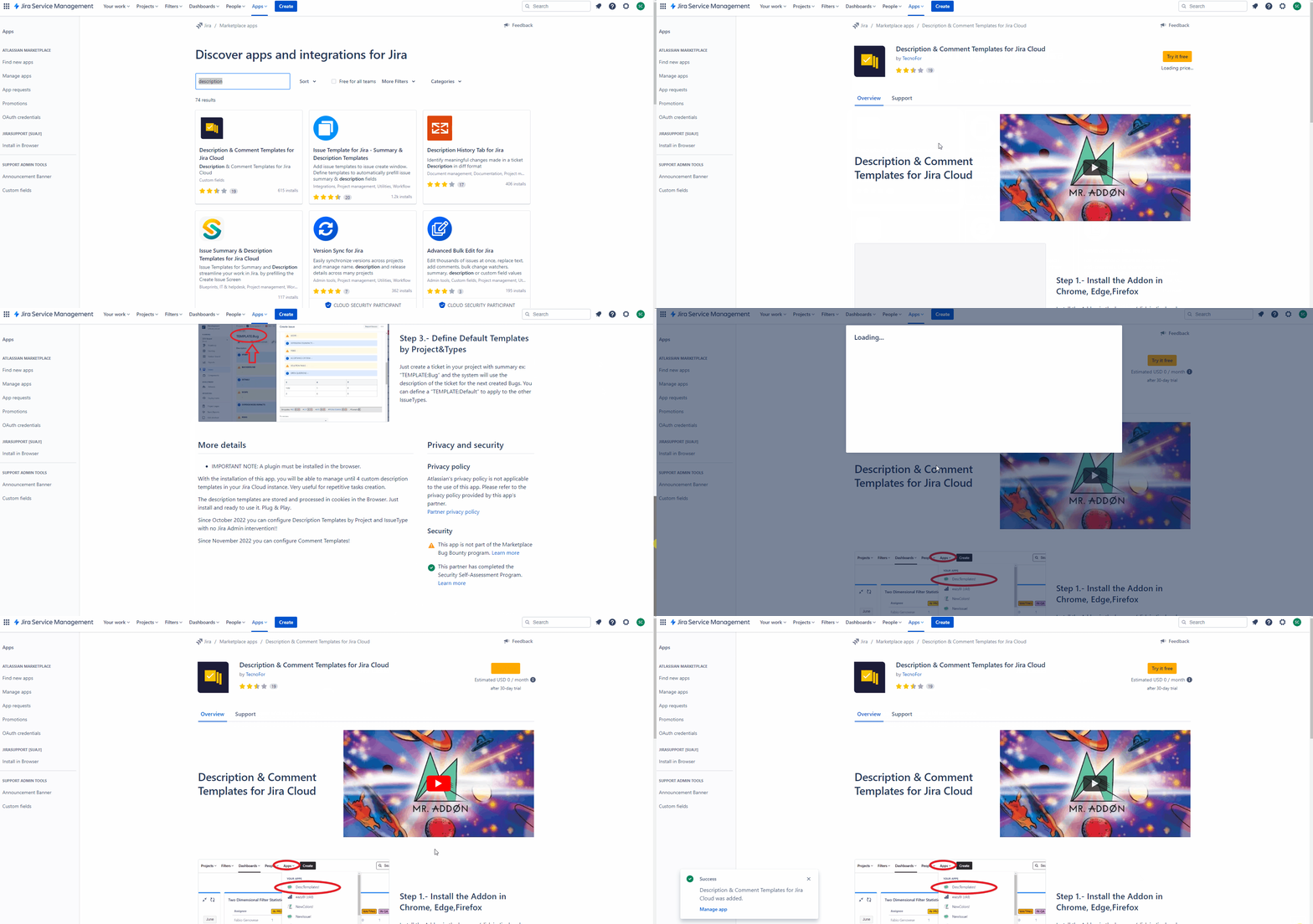
Follow the classic way to install using the Find new apps, as shown below

👇
https://confluenceextranet.tecnofor.es/download/attachments/79954131/descrip.gif?version=1&modificationDate=1678805189554&api=v2


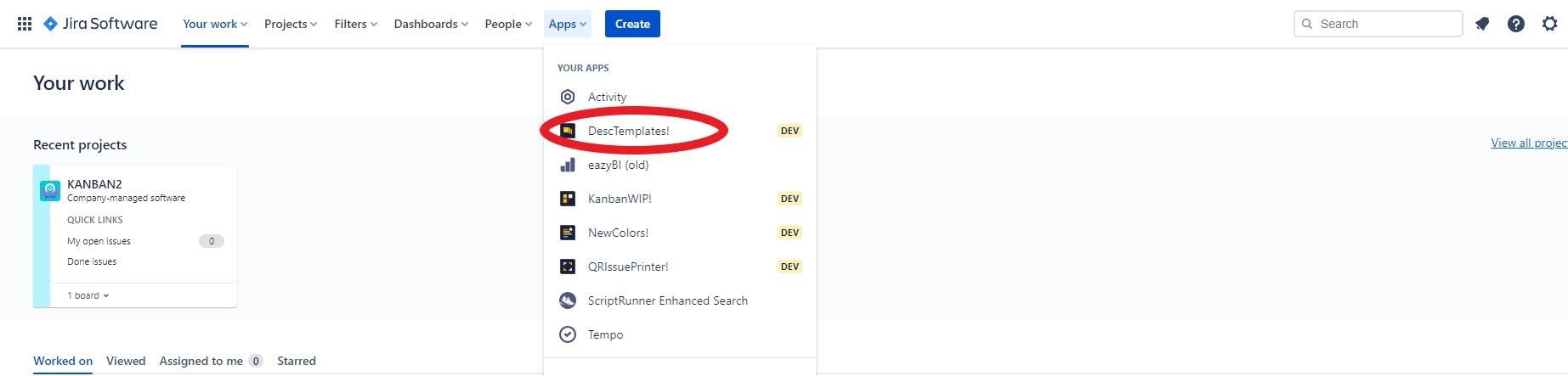
Very Important: A Chrome or Microsoft Edge or Firefox extension must be installed. In your Jira go to “Apps → DescTemplates!” to install the browser App extension. 
https://confluenceextranet.tecnofor.es/download/attachments/79954131/desc.jpg?version=1&modificationDate=1678789391474&api=v2


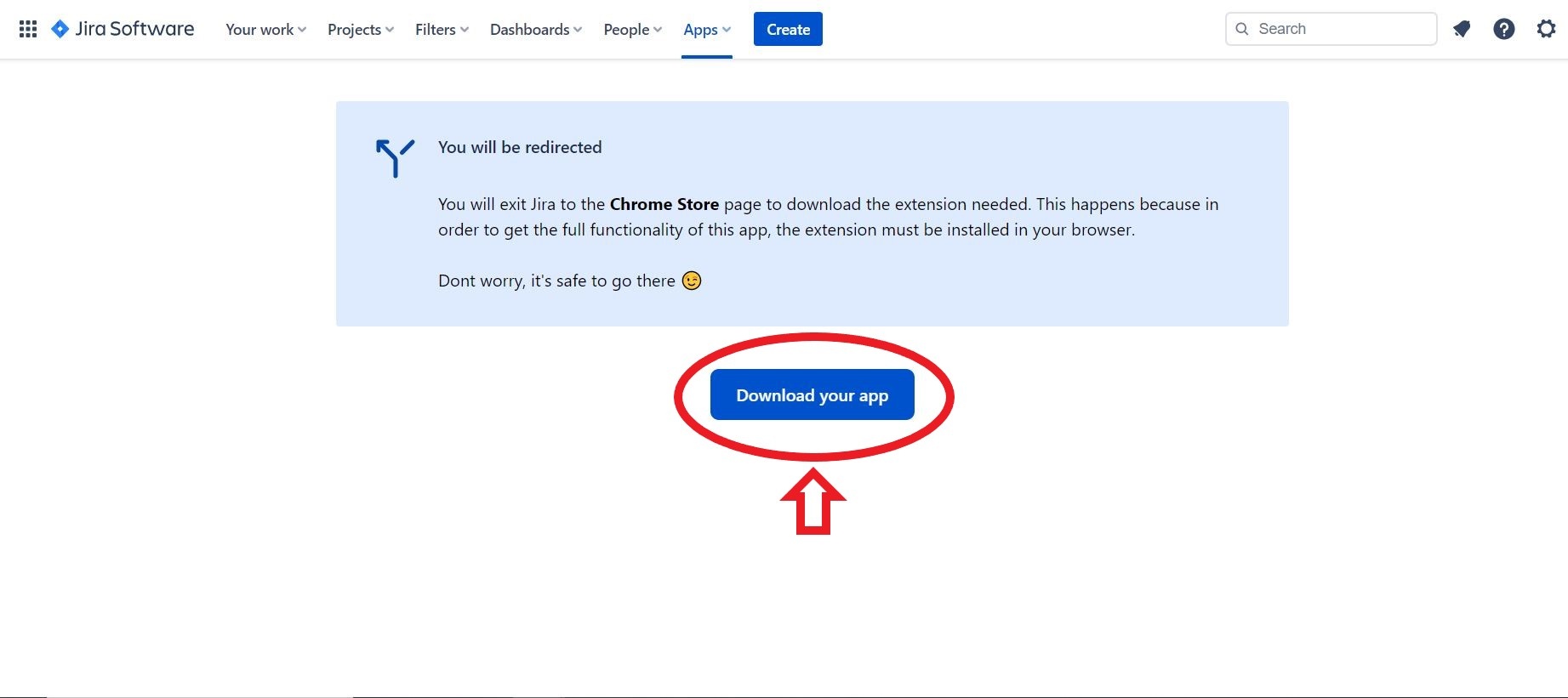
A page will open where you must click the "Download your app" button


https://confluenceextranet.tecnofor.es/download/attachments/79954131/kanban2.JPG?version=1&modificationDate=1678789474168&api=v2

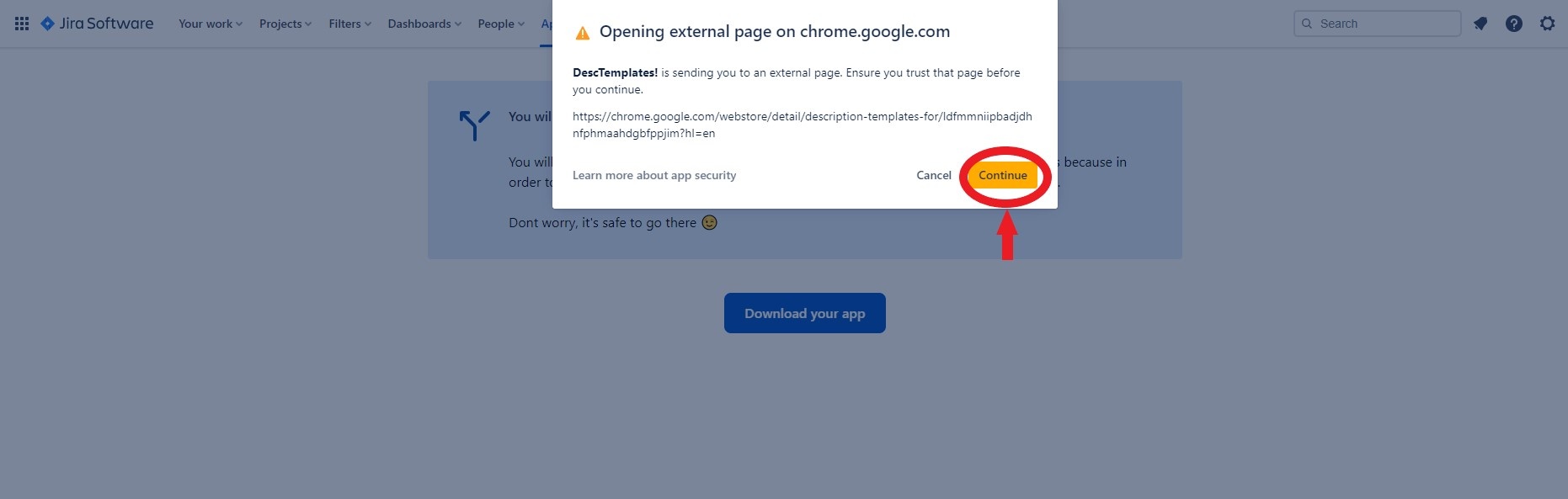
A new window will appear to warn that it is an external link. Click on continue
https://confluenceextranet.tecnofor.es/download/attachments/79954131/desc2.jpg?version=1&modificationDate=1678789562720&api=v2

Directs you to the browser's web store. Add the plugin to the browser 

https://confluenceextranet.tecnofor.es/download/attachments/79954131/desc3.jpg?version=1&modificationDate=1678789657900&api=v2

Do you have custom Atlassian domains? Take a look at this ⚙️ Browser Extension Configuration