Breadcrumbs

🌈 General Usage

Usage

Usage

Addon put a new button “Print QR” in Search for issues, filters , Kanban/Scrum boards, backlogs and Issue views.
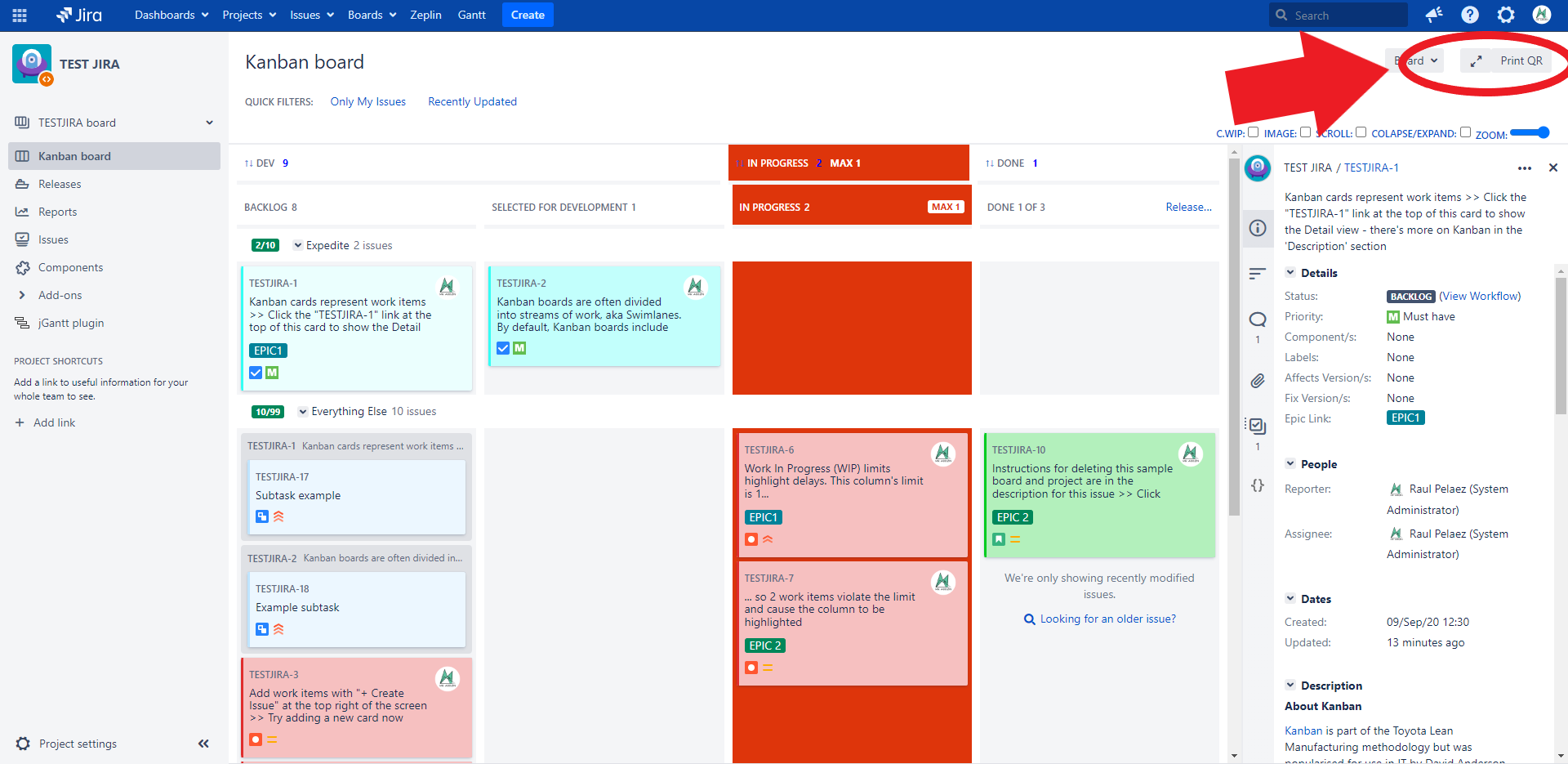

https://confluenceextranet.tecnofor.es/download/attachments/79954049/Kanban1.png?version=1&modificationDate=1659541237307&api=v2


So just select issues with “Ctrl” or “Shift” key and click in Print QR button from a Kanban/Scrum boards.

https://confluenceextranet.tecnofor.es/download/attachments/79954049/Kanban2.png?version=1&modificationDate=1659541311323&api=v2


Or just select issues with “Ctrl” or “Shift” key and click in Print QR button from a Backlog view of the board.
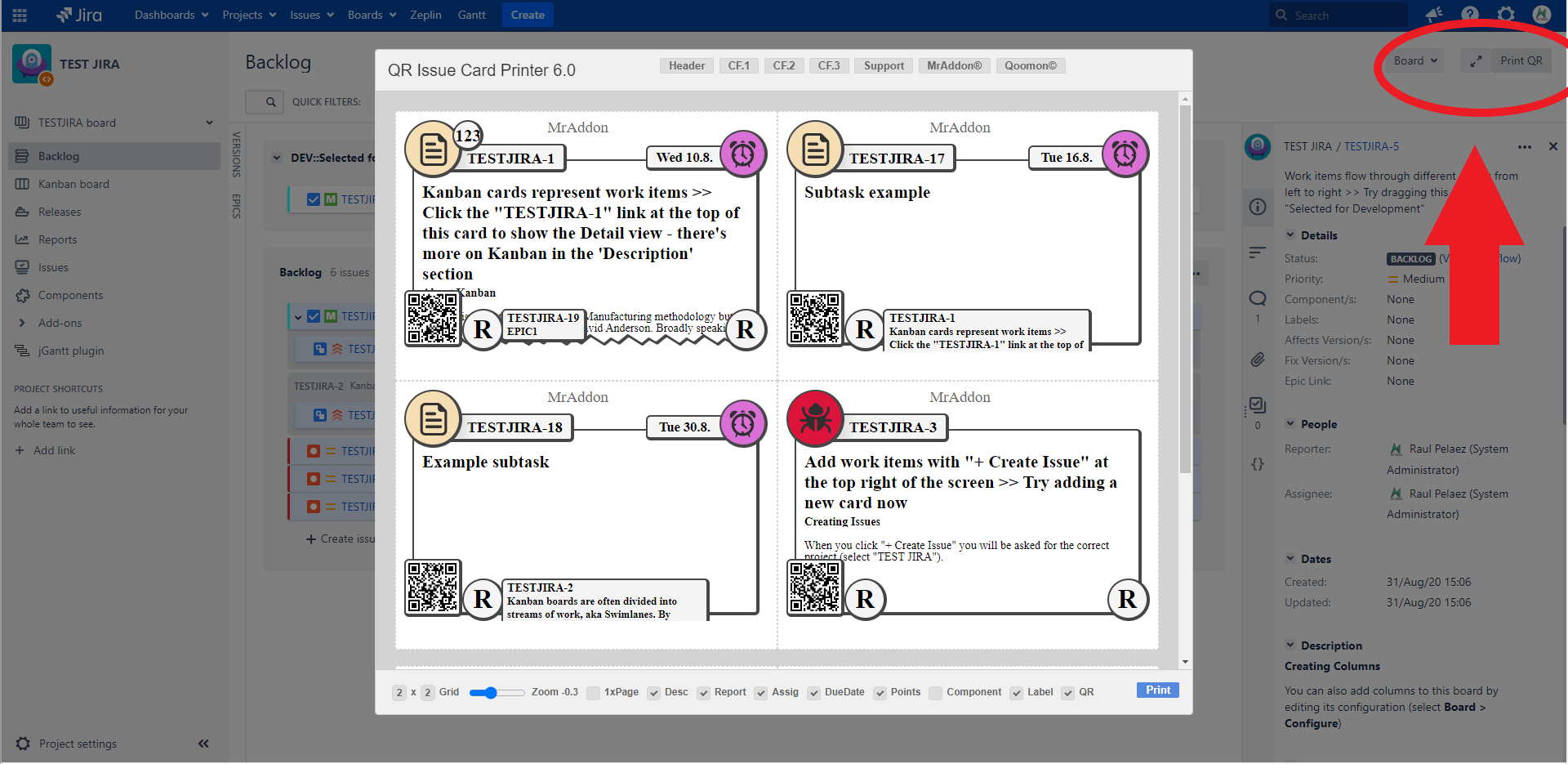

https://confluenceextranet.tecnofor.es/download/attachments/79954049/Backlog35.png?version=1&modificationDate=1659541393893&api=v2


Or just Search for Issues or select a saved Filter and click in Print QR button!
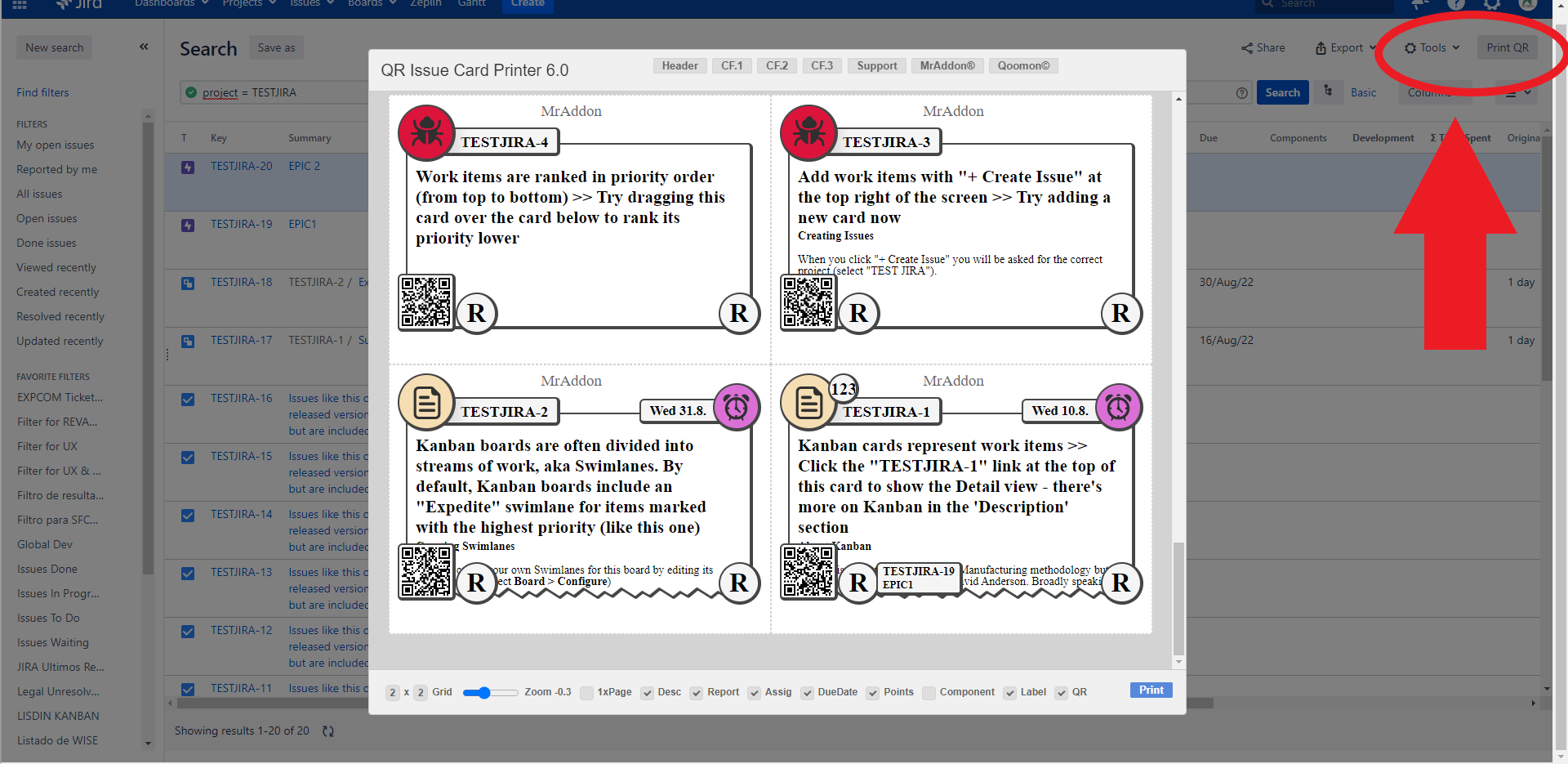

https://confluenceextranet.tecnofor.es/download/attachments/79954049/Filters5.png?version=1&modificationDate=1659541462797&api=v2


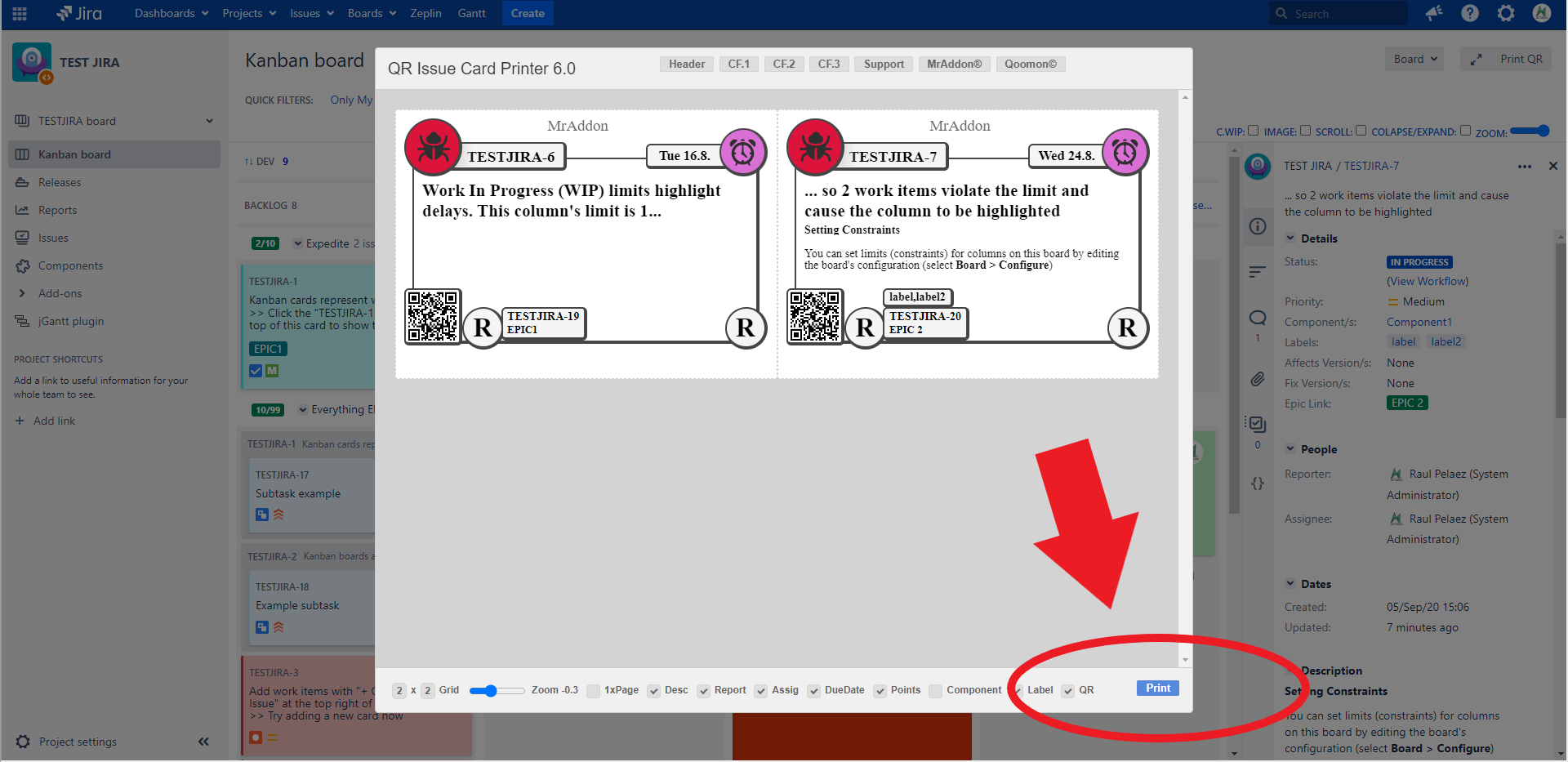
Once finished click in “Print” to configure margins and send the cards to the printer! 
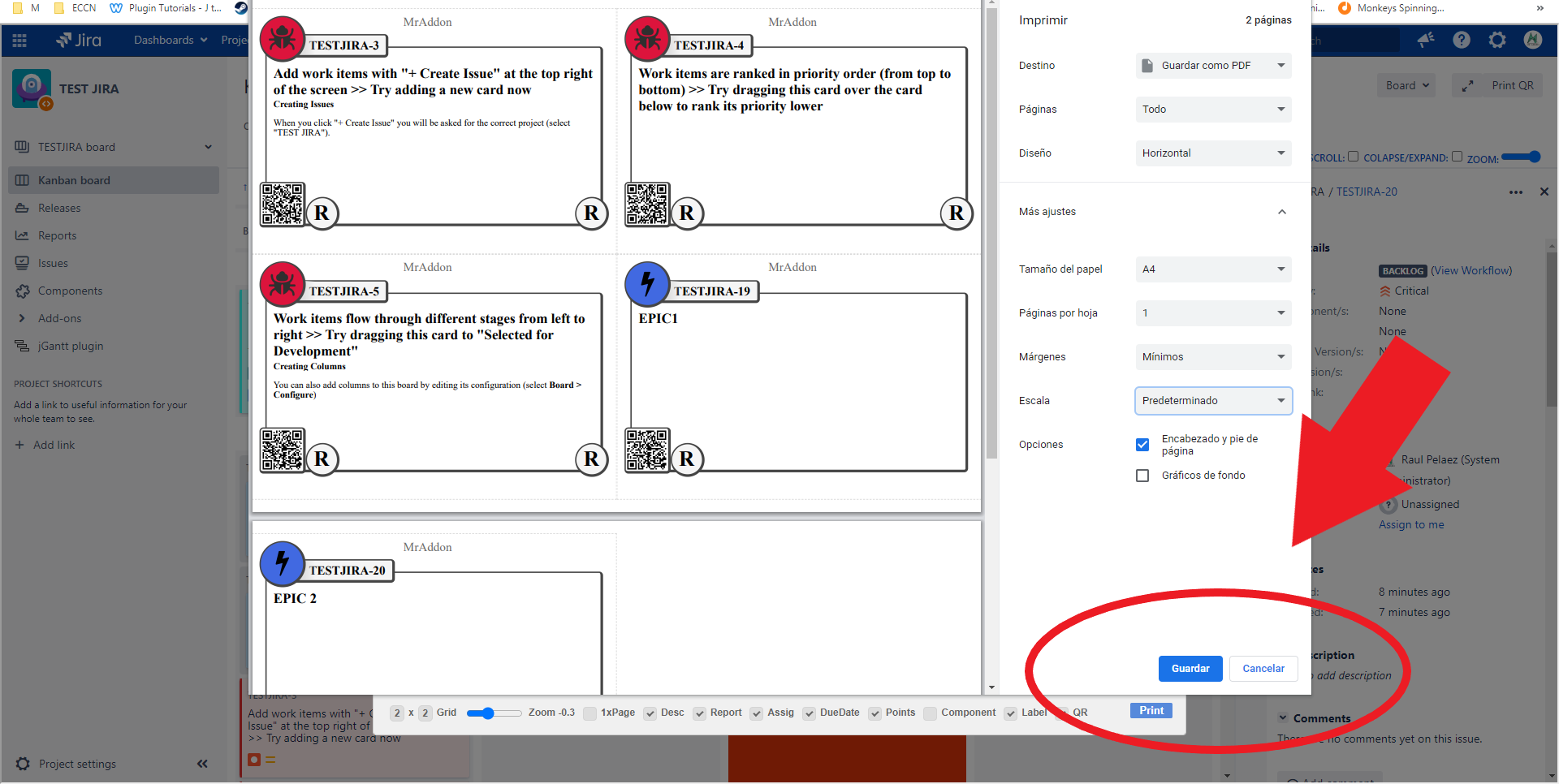

https://confluenceextranet.tecnofor.es/download/attachments/79954049/Print4.png?version=1&modificationDate=1659541547213&api=v2


Example:


https://confluenceextranet.tecnofor.es/download/attachments/79954049/issue-card-server-usage.gif?version=2&modificationDate=1597168391361&api=v2

👉 Print only one Issue!


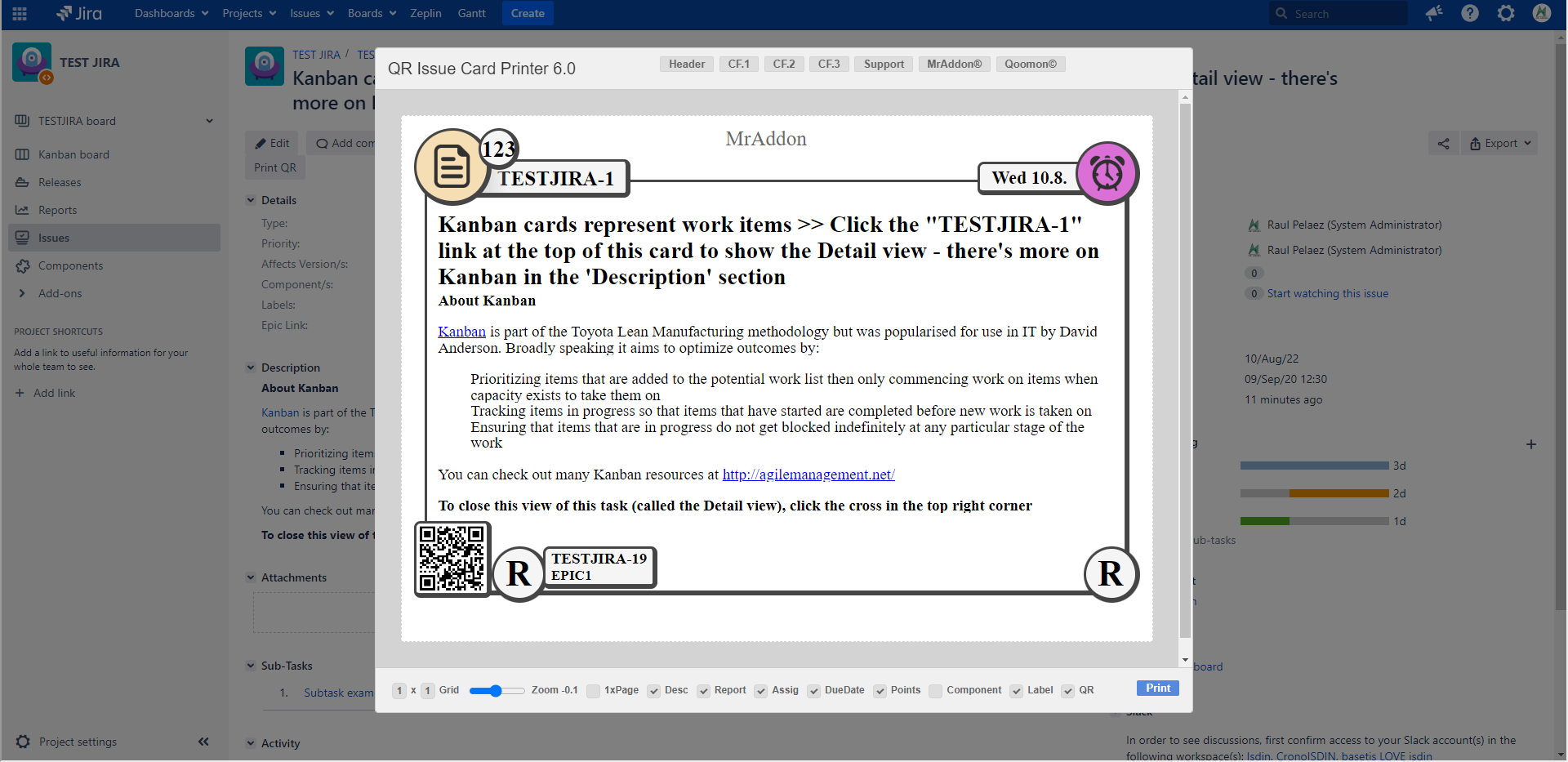
Yes, in the Jira usual Issue View you will see the extra button “Print QR”, just click it!
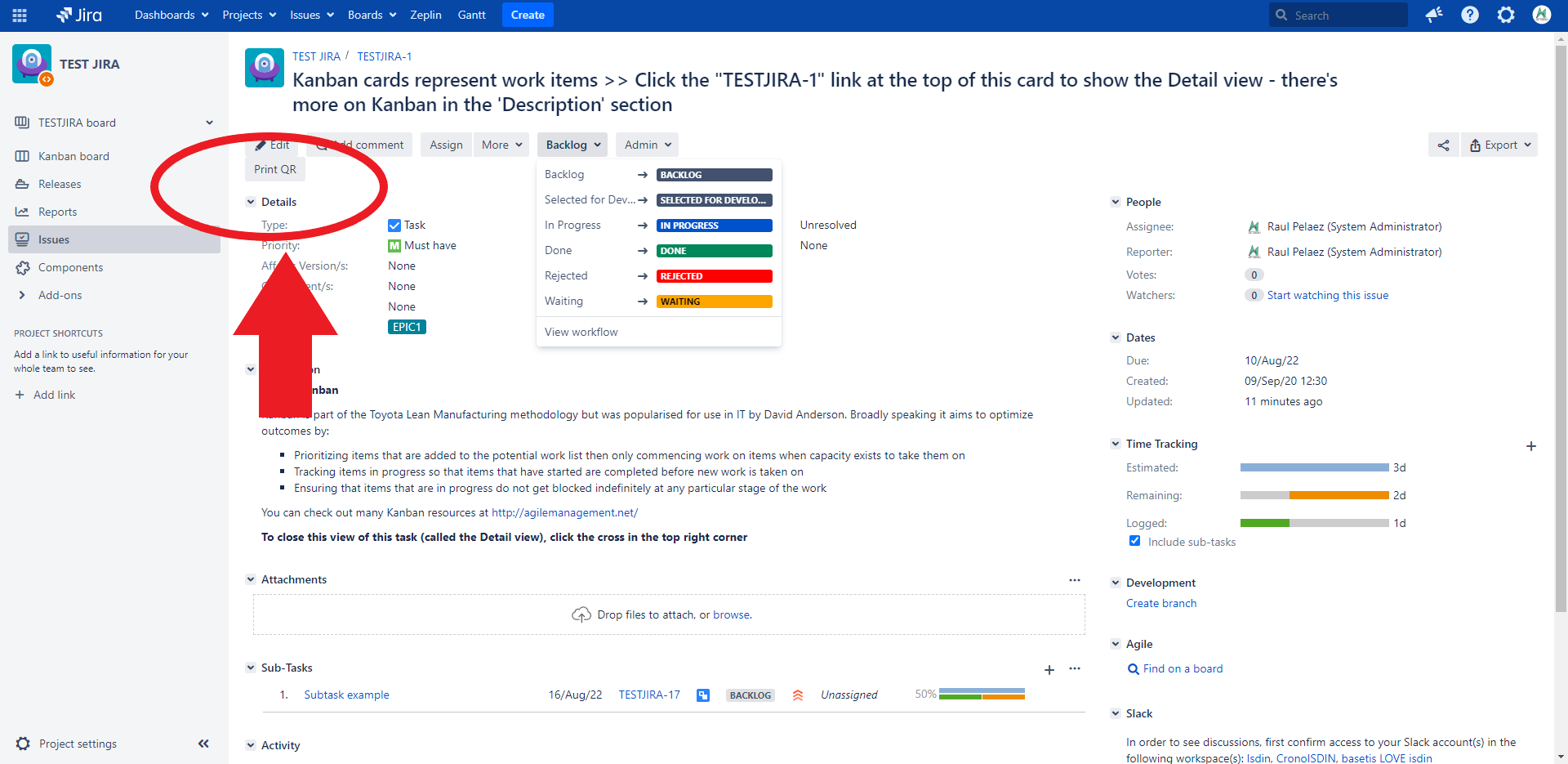

https://confluenceextranet.tecnofor.es/download/attachments/79954049/OneTicket.png?version=1&modificationDate=1659541646202&api=v2


👉 Ready to print!


https://confluenceextranet.tecnofor.es/download/attachments/79954049/OneTicket2.png?version=1&modificationDate=1659541659942&api=v2

👉 Result


This is the result. If you see in GIF, I’ve print a PDF and this is a sample.
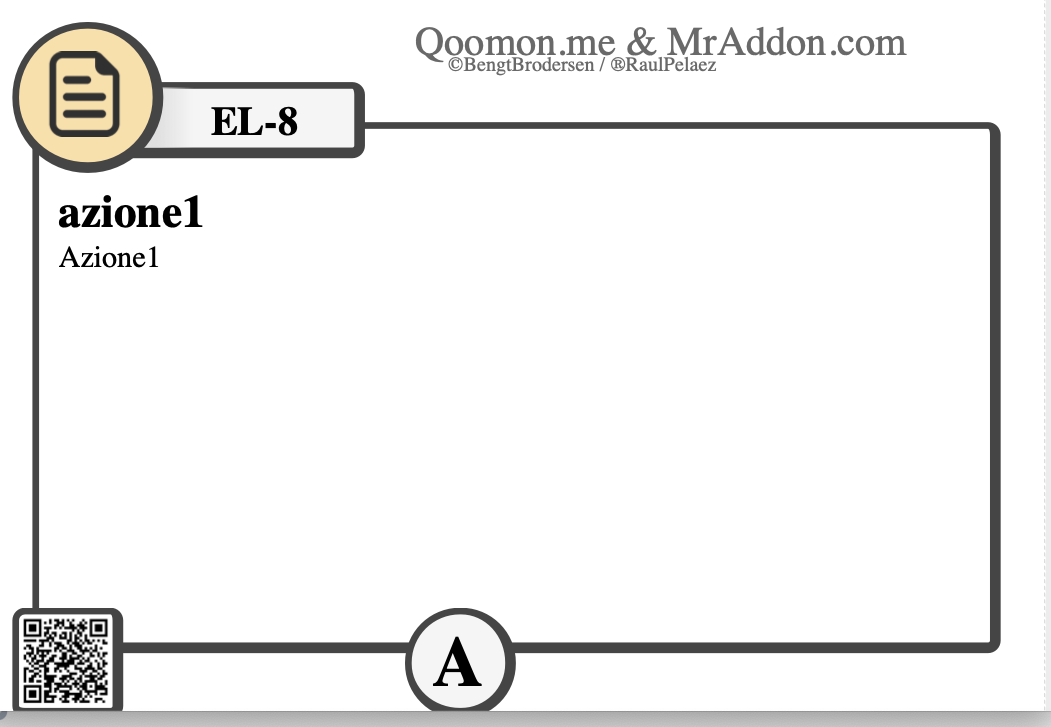

https://confluenceextranet.tecnofor.es/download/attachments/79954049/Schermata%202020-06-06%20alle%2011.55.49.png?version=1&modificationDate=1591430214153&api=v2


Some final notes for this great addon:

👉 QR-CODE

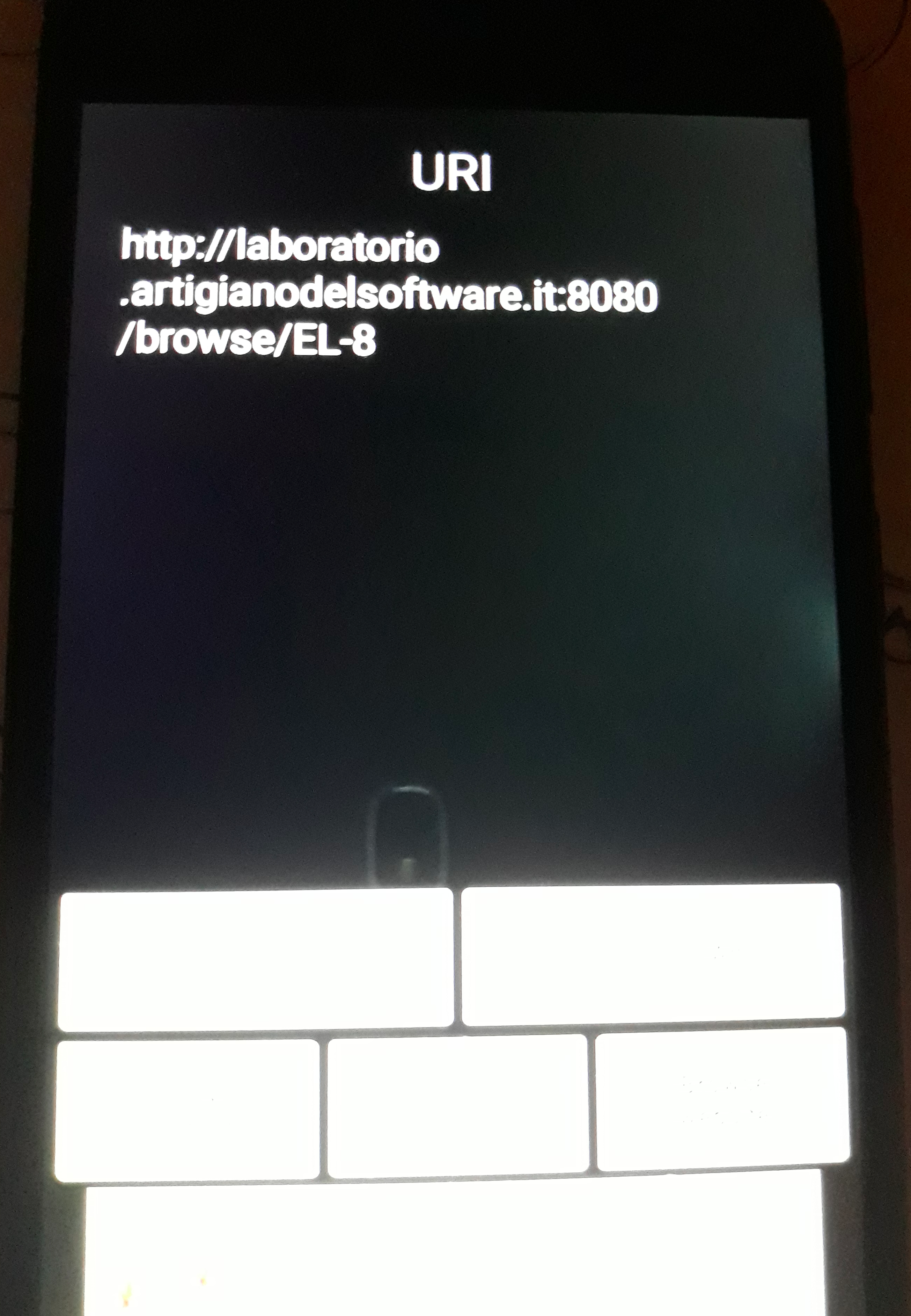
As we see, a QR-Code is present in issue card and we can use it to reference the issue. If we use a QR-code reader we redirect to the URL of Issue. This is an important result. The result is shown in following image, where I use my mobile QR reader and I use the previous image.
https://confluenceextranet.tecnofor.es/download/attachments/79954049/image-20200725-224705.png?version=1&modificationDate=1595710034169&api=v2

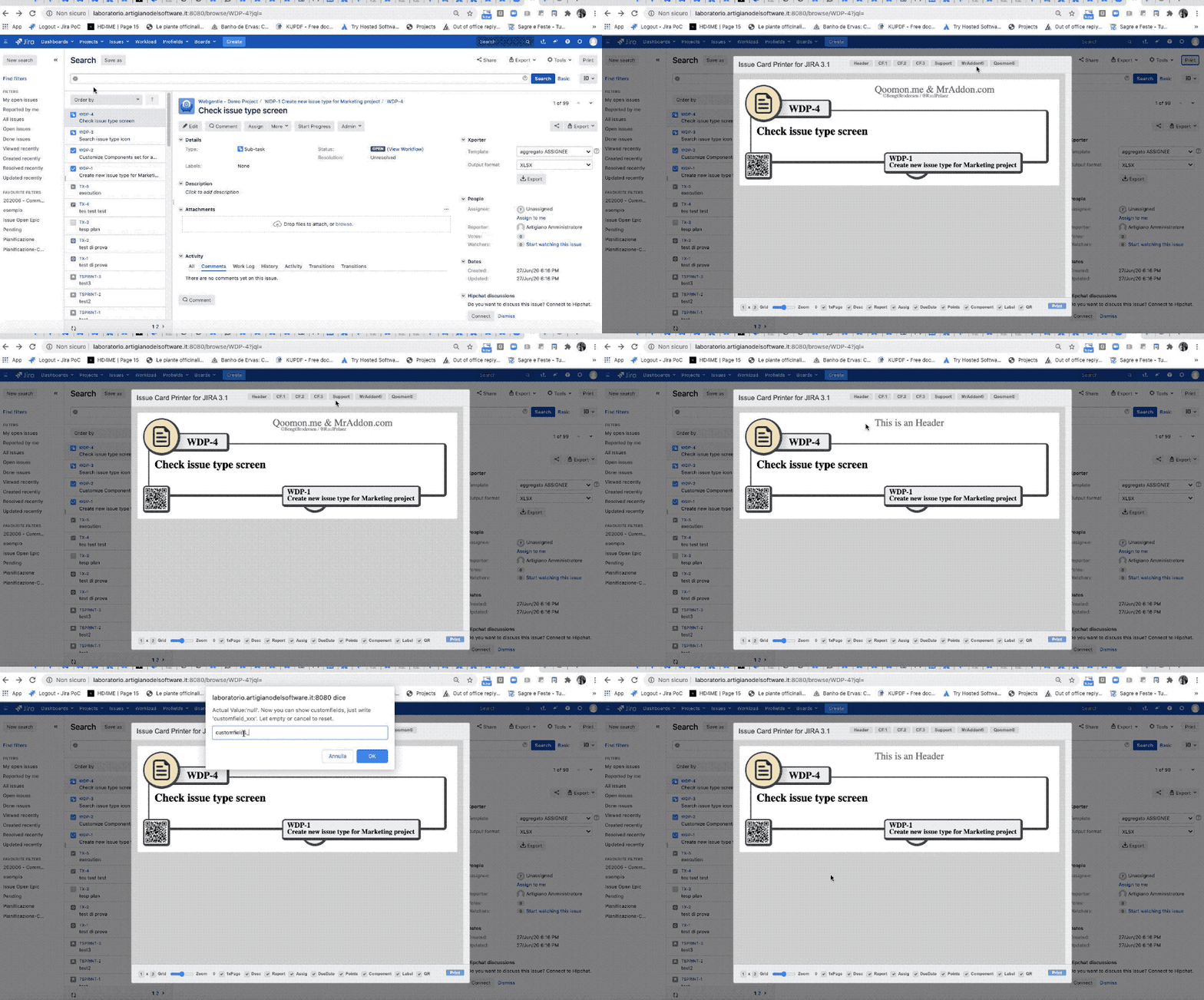
👉 You can show in the card layout until 3 Custom Fields, and possibility to change the title Header of the cards

We can add up to 3 custom fields on layout. Let me explain how do this: once we select own issues, click PRINT button and select CF1/2/3 button as show in following GIF and set the customfield_id (ask to your Jira Admin if you don’t know the ID of the field to show)

https://confluenceextranet.tecnofor.es/download/attachments/79954049/issue-card-server-customfields.gif?version=2&modificationDate=1597168384598&api=v2

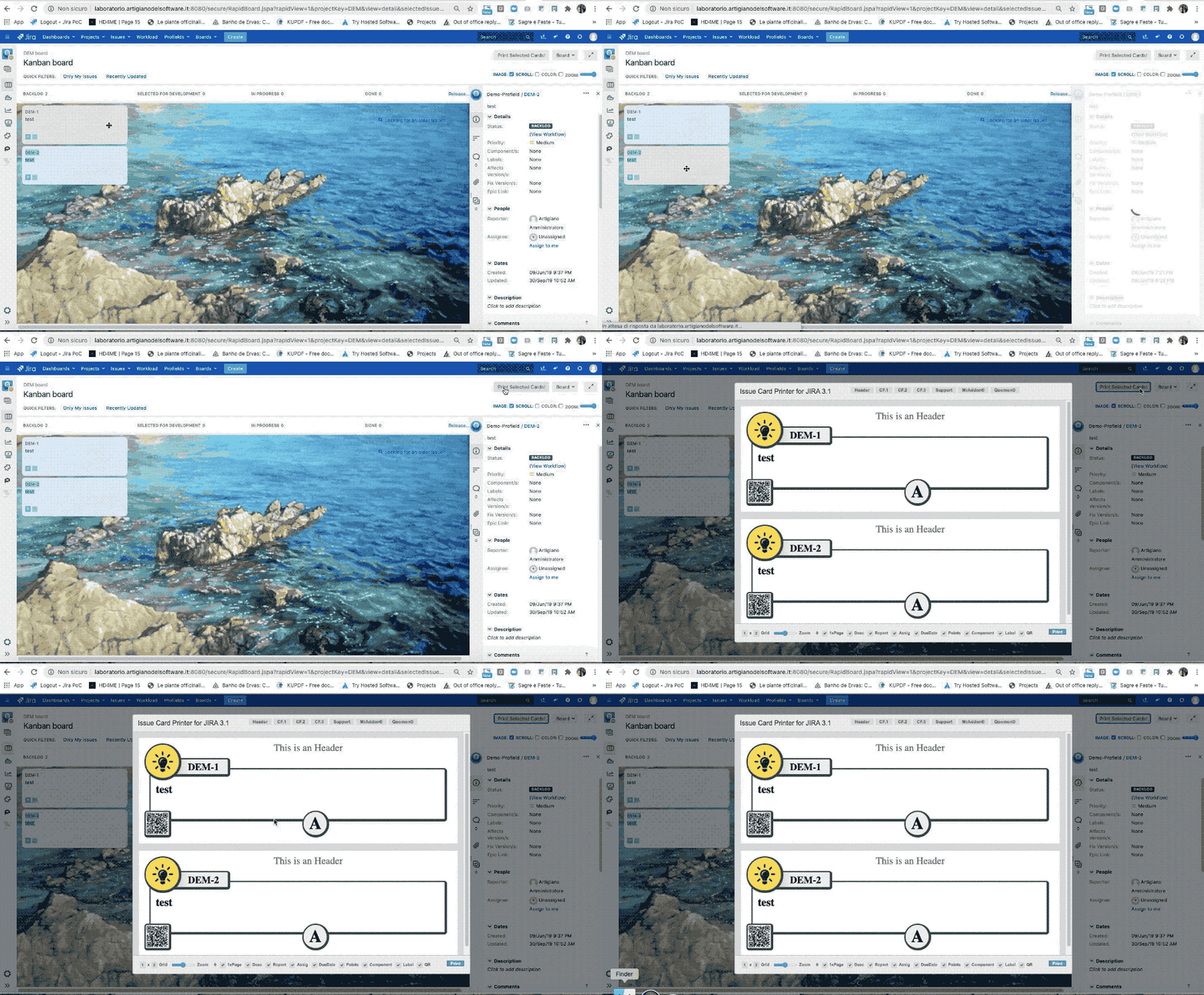
👉 Integration with Kanban/Scrum Board and Backlog view

It’s possible use Issue Card directly from Kanban Board. Just press Ctrl or Shift to multiple select and print.

https://confluenceextranet.tecnofor.es/download/attachments/79954049/issue-card-kanban-integration.gif?version=3&modificationDate=1597168381407&api=v2